Cookie-Einstellungen

Wähle, welche Cookies ATS Mini Controller verwenden darf. Notwendige sind immer an, weil die App ohne sie nicht funktioniert. Analyse bleibt aus, bis du sie einschaltest.

Verantwortlicher: WebUncle Grzegorz Zając, Katowice, Polen · contact@atsminiradio.com. Deine Rechte und alles, was wir speichern: Datenschutzerklärung (öffnet in einem neuen Tab)

Notwendig

Betreiben die App und halten sie sicher

Immer an

Deine Sprache, das Design und die Anordnung der Bereiche, dein Logbuch und deine Lieblingssender, Dateien für die Offline-Nutzung und der Missbrauchsschutz von Cloudflare. Sie verfolgen dich nicht, deshalb brauchen sie keine Einwilligung.

Analyse

Helfen uns, die App zu verbessern

Wir zählen Besuche und sehen, welche Funktionen genutzt werden und wo Fehler auftreten, damit wir wissen, was wir zuerst beheben. Google verarbeitet diese Daten für uns, und Fehlerdetails landen für 3 Tage in den Cloudflare-Logs. Wir erstellen kein Werbeprofil.

Wir merken uns deine Wahl in diesem Browser: eine Einwilligung, bis du sie änderst oder deine Browserdaten löschst, eine Ablehnung für 6 Monate, danach fragen wir erneut. Wenn du etwas erlaubst, speichern wir außerdem einen Nachweis dieser Wahl, ohne deine IP-Adresse, als Beleg der Einwilligung. Der Widerruf der Einwilligung berührt nicht die Rechtmäßigkeit der bis dahin erfolgten Verarbeitung.

Zum Inhalt springen
ATS Mini Controller
Offline
RTL-SDRAntenna

RTL-SDR antennas and filters

Antennas for an RTL-SDR stick beyond the kit dipole: the dipole set, a discone for wideband listening, a 1090 MHz antenna for aircraft, plus an FM broadcast stop filter and an LNA.

Einige Links auf dieser Seite sind AliExpress-Affiliate-Links. Wenn du darüber einkaufst, erhalten wir unter Umständen eine kleine Provision, ohne Mehrkosten für dich. Am Preis ändert sich dadurch nichts, und wir listen nur Zubehör, das wir selbst mit einem ATS Mini verwenden würden.

An RTL-SDR stick has a 50-ohm SMA input, unlike the ATS Mini’s high-impedance whip input, so it wants proper antennas fed with coax. One antenna cannot do everything from shortwave to 1.7 GHz well. Pick for what you want to hear, and put the antenna as high and as far from the house wiring as you can: a mediocre antenna outside beats a good one next to a monitor. For shortwave, the longwire, loops and active antennas on the antennas page also suit a stick (look for the RTL-SDR tag), and the HF guide explains how the stick reaches HF.

Start with the dipole kit

The RTL-SDR Blog dipole kit is a set of telescopic and short elements on a small mount, with a coax lead and a suction-cup holder. Extend each arm to about a quarter wavelength (in centimetres, roughly 7100 divided by the frequency in MHz) and it covers FM broadcast, airband, ham VHF and UHF, and PMR. Opened to a V and laid flat, it is a decent antenna for weather satellites around 137 MHz. It comes with the V3 kit; buy it on its own if you got the dongle alone.

RTL-SDR Blog multipurpose dipole antenna kit

  • RTL-SDR

The official RTL-SDR Blog dipole set: telescopic and short elements, a mount and a coax lead. Adjustable for FM, airband, ham VHF/UHF and, as a V-dipole, weather satellites.

Preis auf AliExpress prüfen
Auf AliExpress ansehen

A discone for everything above 25 MHz

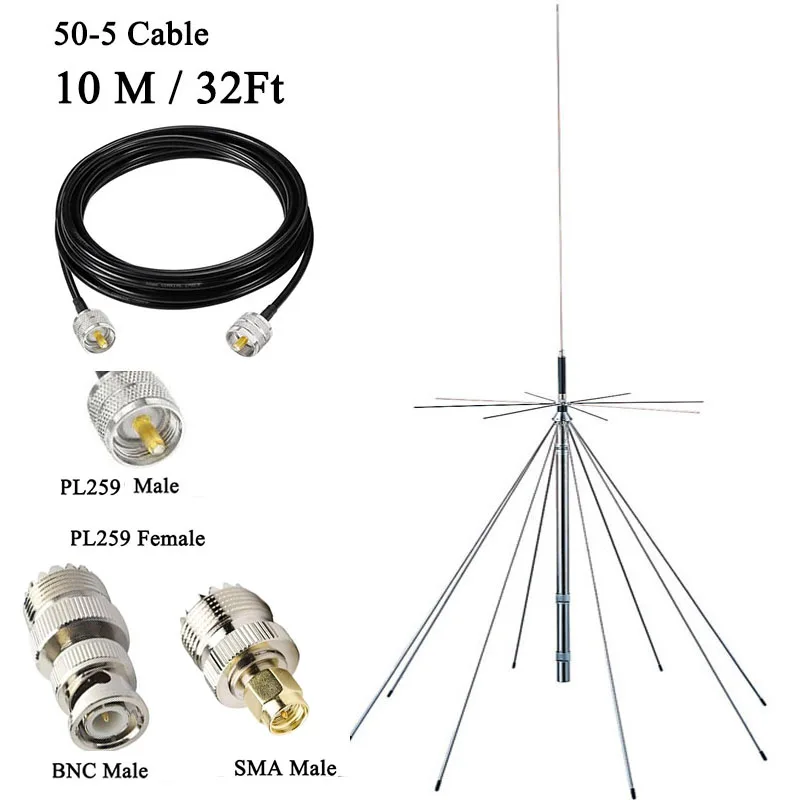
A discone hears a very wide range without retuning, which is what you want for a scanner or for browsing many bands. It is not better than a dipole on any one frequency, but it is never far off. Mount it outdoors and high, and check the connector in the listing: discones usually end in an N or SO-239 socket, so you need a coax lead and an adapter to SMA male.

SignalPlus D3000 discone antenna

  • RTL-SDR

A wideband discone listed for reception from 25 to 3000 MHz, sold with or without a cable. Check the connector on the listing and plan an adapter to SMA male for the stick.

$112.24 vorher $135.30
Auf AliExpress ansehen

A 1090 MHz antenna for aircraft

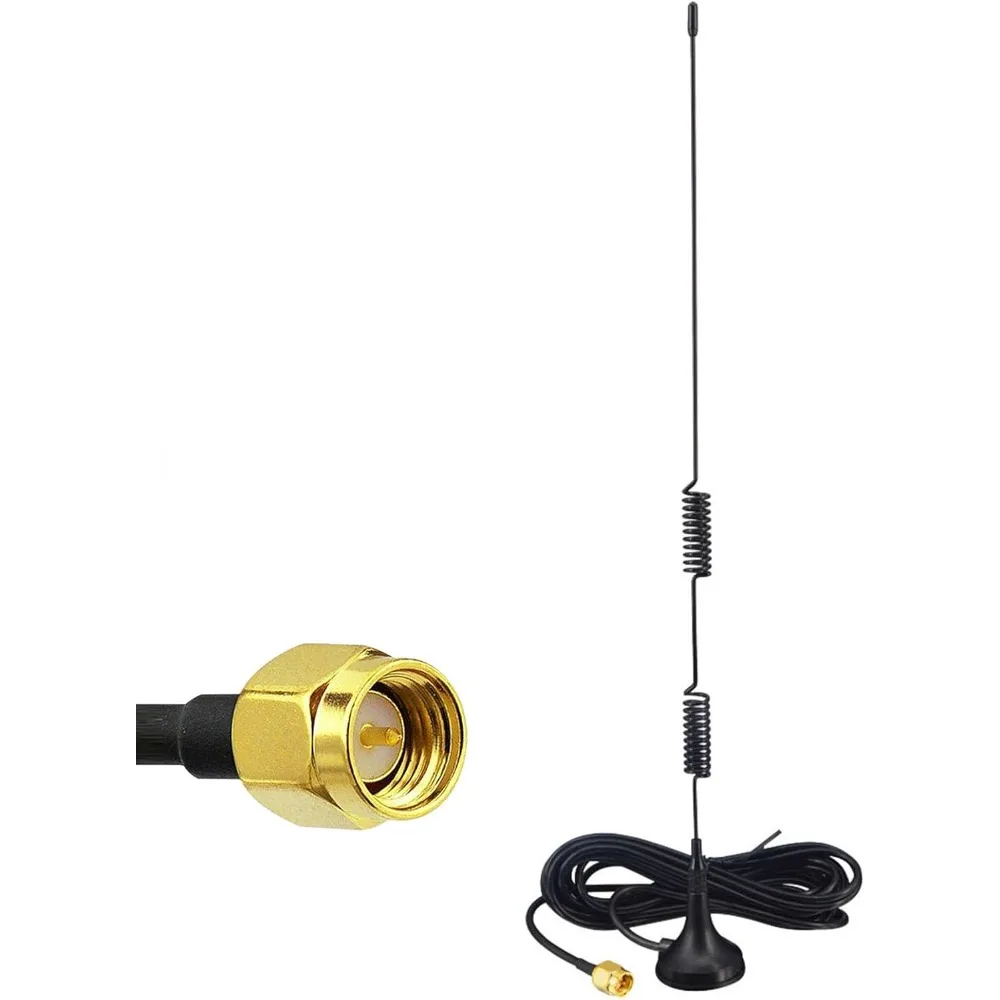
ADS-B replies from aircraft sit on 1090 MHz, where the kit dipole needs arms only about 7 cm long. A small antenna made for 1090 MHz on a magnetic base, by a window or outside with a clear view of the sky, adds a lot of range to the ADS-B decoder.

1090 MHz ADS-B antenna (SMA male, magnetic base)

  • RTL-SDR

A small antenna tuned for 1090 MHz with an SMA plug and a magnetic base, for the ADS-B aircraft decoder.

$6.50 vorher $7.01
Auf AliExpress ansehen

Filters and an LNA

Strong FM broadcast stations can overload the stick and smear across the spectrum while you listen somewhere else; the app shows this as an Overload badge. A broadcast-band stop filter between the antenna and the stick takes 88–108 MHz out and leaves the rest. The V4 has notch filters built in, so it needs one less often than a V3.

An LNA (low-noise amplifier) helps only when a long coax run loses signal before it reaches the stick. Put it at the antenna end and power it with the stick’s 4.5 V bias-T, which the app switches on under Source after asking. Near strong transmitters an LNA makes overload worse, so try without one first.

RTL-SDR Blog FM broadcast stop filter (88–108 MHz)

  • RTL-SDR

Removes the FM broadcast band in front of the stick so strong FM stations stop overloading it. Fit it between the antenna lead and the stick.

Preis auf AliExpress prüfen
Auf AliExpress ansehen

RTL-SDR Blog wideband LNA (V2)

  • RTL-SDR

A wideband low-noise amplifier powered over the coax by a bias-T, such as the one in the RTL-SDR Blog sticks. Worth it at the end of a long coax run, not next to a strong transmitter.
Preis auf AliExpress prüfen
Auf AliExpress ansehen

Never switch the bias-T on with an antenna that shorts DC, such as a passive loop, a folded dipole or a DC-grounded vertical: it can damage the stick.

Mehr

Gerät

Entdecken

Einstellungen

Design

Willkommen bei ATS Mini Controller

Diese Web-App verbindet sich per USB oder Bluetooth LE mit deinem ATS Mini Radio, sodass du es direkt vom Computer oder Smartphone aus steuern kannst. Sie ergänzt die eingebaute Firmware des Geräts um Fernabstimmung, Speicherplatzverwaltung, Screenshot-Aufnahme, Audio-Streaming, Spektrum-Scan, Theme-Bearbeitung und weitere Funktionen.

Firmware 2.34+: Verbindungsart wählen

Ab Firmware 2.34 lässt sich das Radio per USB oder Bluetooth LE fernsteuern. Wähle nach dem, was dir wichtiger ist: schnelle Screenshots (USB) oder sauberer Ton am 3,5-mm-Ausgang des Radios (Bluetooth) – die beiden Übertragungswege haben gegensätzliche Stärken.

  • USB Serial

    Settings USB Port von Off auf Ad hoc ändern

    Funktioniert in jedem Chromium-basierten Browser. Erfordert ein USB-C-Kabel mit Datenleitungen (öffnet in einem neuen Tab).

    Am besten für Screenshots und Theme-Bearbeitung. Übertragungen sind in ein bis zwei Sekunden fertig. Die Audioaufnahme ist bei angeschlossenem Kabel verrauscht – dem Radio fehlt die Filterung, um seinen 3,5-mm-Ausgang von der USB-Versorgungsleitung zu isolieren, sodass Brummen und Schaltstörungen in den Audiopfad gelangen.

  • Bluetooth LE

    Settings Bluetooth Modus auf Ad hoc stellen

    Chrome / Edge / Opera auf dem Desktop oder unter Android. BLE ist in Firmware 2.34 experimentell.

    Am besten für sauberen Ton. Bluetooth LE überträgt nur die Fernsteuerung, nie Ton: Der läuft weiterhin per Kabel vom 3,5-mm-Ausgang des Radios zum Computer. Ohne USB-Kabel läuft das Radio auf Akku, sodass dieser Ausgang frei von den USB-Versorgungsstörungen bleibt, die bei einer Kabelverbindung durchschlagen. Screenshots sind wegen der begrenzten BLE-Übertragungsrate der Firmware deutlich langsamer (~30 s).

Mehr als eine Firmware

Neben der offiziellen Firmware enthält die App Profile für den Monster-Fork und für die Firmware von H. J. Berndt. Welche davon läuft, erkennt sie an den Antworten des Radios, du musst also nichts auswählen. Passt keine, sagt sie das offen, statt zu raten.

  • Berndt-Firmware wird nie unterstellt. Sie nutzt einige Tasten der offiziellen Firmware mit, und was diese dort bewirken, ist nicht geklärt – deshalb fragt die App, bevor sie darauf umschaltet.
  • Fehlende Bedienelemente sind Absicht. Was eine Firmware nicht kann, steht gar nicht auf der Seite, statt ausgegraut zu sein, und auf Berndt-Firmware gehen Befehle einzeln hinaus, mit einigen Sekunden Abstand.
Wie die App mit anderer Firmware umgeht (öffnet in einem neuen Tab)

Tastenkürzel

Einzelne Tasten steuern das Radio auf der Controller-Seite, außer während du in ein Feld tippst.

←→
Einen Schritt abstimmen
↑↓
Lautstärke auf / ab
Enter
OK
BN
Nächstes / vorheriges Band
MV
Nächste / vorherige Betriebsart
SA
Nächster / vorheriger Schritt
WQ
Nächste / vorherige Bandbreite
GF
AGC auf / ab
LK
Hintergrundlicht heller / dunkler
IU
Kalibrierung auf / ab
OP
Ruhemodus ein / aus
T
Statusprotokoll umschalten
C
Screenshot
H
Empfang protokollieren
D
Cockpit-Ansicht
⌘K
Seiten & Sender suchen