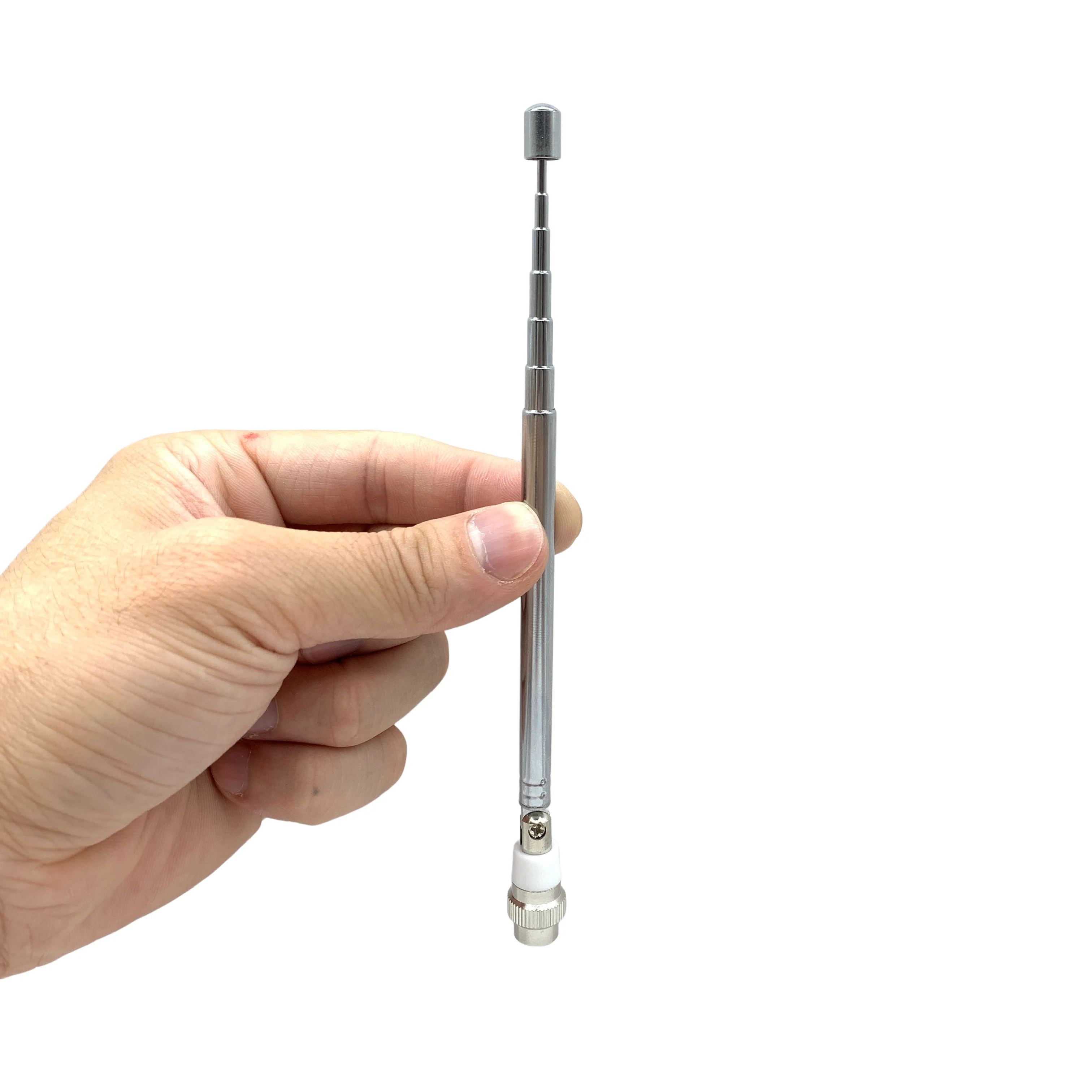
Telescopic whip antenna
A longer telescopic whip — a cheap upgrade for FM and strong MW. On shortwave a counterpoise wire helps more than length. Pick one with an SMA male base so it screws straight in.
$5.41 was $6.56
View on AliExpressSome links on this page are AliExpress affiliate links. If you buy through them we may earn a small commission, at no extra cost to you. It never changes the price you pay, and we only list gear we would actually use with an ATS Mini.
The stock whip is fine for FM and a strong local AM station. On shortwave it is fighting physics: a quarter wavelength at 6 MHz is about twelve metres, so a 60 cm whip is a tiny capacitive stub. The radio is built around exactly that. Its antenna input is deliberately high-impedance, not a 50-ohm port, and tuned for a short whip rather than a coax feed. Almost everything useful about upgrading the antenna follows from those two facts.
The cheapest shortwave upgrade costs almost nothing: a counterpoise wire. The whip borrows your hand and body as a ground reference, which is why the radio often sounds worse in a stand than held in your hand. Clip a few metres of wire to the radio’s ground and the signal and SNR on the low bands climb further than extra whip length will take them.
A longer telescopic whip is a real win for FM and strong MW, where it can approach a resonant quarter-wave near 100 MHz. On shortwave the counterpoise does more than the extra length, and the clip-on ground lead below is the highest-value upgrade on this whole page. For a quick boost in the field you can also clip a reel extender onto the whip — use its alligator clip, not the 3.5 mm plug, because that jack on the ATS Mini is audio out, not an antenna input. Get a whip with an SMA male base so it screws straight in.
Where to clip the ground wire: the radio’s ground is the outer metal of the SMA socket the whip screws into, and the knurled nut at the base of the whip that screws onto it. Clip there, not onto the whip’s rod or its hinge — wire on the rod only makes the antenna longer, which is the reel-antenna trick, not a counterpoise. Any insulated wire works, 2 to 5 metres of it: a double-ended crocodile lead on the radio end, the rest trailing loose on the floor away from chargers and power supplies. Connect the far end to nothing, least of all a mains earth, which usually brings more noise than it removes. Then compare SNR on a weak station with and without the wire, and try a different length or direction; it costs nothing.
A longer telescopic whip — a cheap upgrade for FM and strong MW. On shortwave a counterpoise wire helps more than length. Pick one with an SMA male base so it screws straight in.
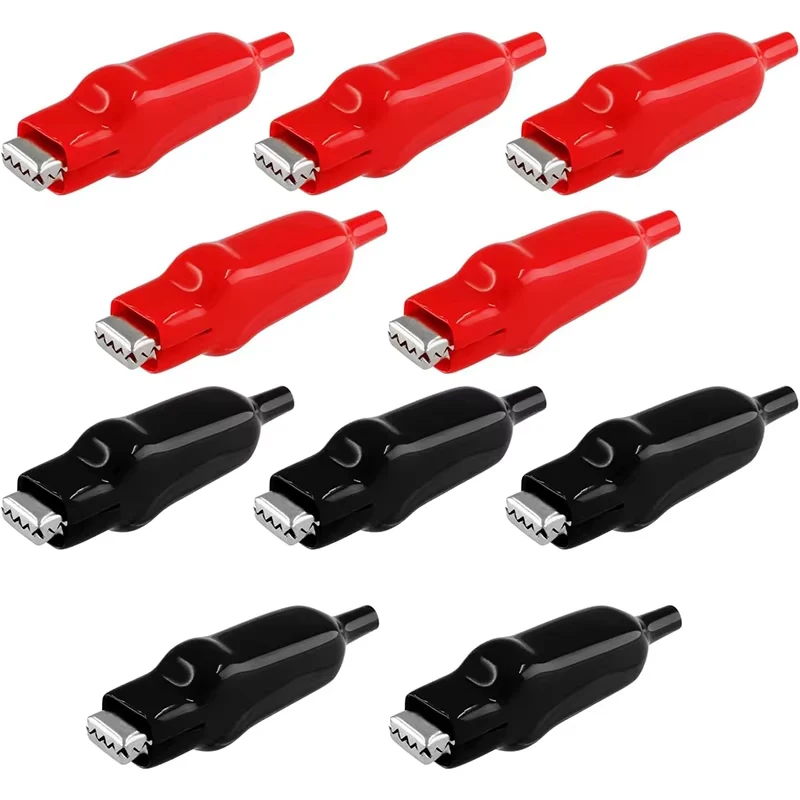
Double-ended crocodile leads, the parts for the cheapest upgrade on this page. Clip one to the outer metal of the antenna socket and chain a few, or clip on any length of wire, for a few metres of counterpoise. Shortwave signal and SNR climb noticeably, most of all on a stand, where the whip has no body to lean on.

A retractable wire that clips onto the extended whip for a quick field boost. Use the alligator clip, not the 3.5 mm plug — that jack on the ATS Mini is audio out, not an antenna input. Gains are modest and depend on location, and the thin wire needs care.
A small loop is quiet and directional, which helps indoors: rotate it to null out local noise. The cheap printed-circuit "donut" is pocketable but inconsistent, and some have a measured coil flaw that leaves them working at only a handful of sharp frequencies. The passive YouLoop is the one to trust: balun-coupled, no power, and it cannot overload the radio. Its output is low, so it rewards a quiet location more than a crowded daytime band.

A compact passive loop for portable listening where a long wire is impractical. Cheap printed-circuit loops vary a lot in quality, so read the guide before relying on one — the YouLoop is the safer compact loop.

A passive magnetic loop (the YouLoop design). No power, very low noise, and it cannot overload the radio — a far more trustworthy compact loop than a cheap donut. Best indoors on the low bands; its output is low, so it rewards a quiet spot. Get the SMA version to mate with an SMA male end.
An active antenna puts an amplifier right behind a small probe, so it can lift weak shortwave out of a tight space. The Mini Whip is the classic E-field plate; a broadband active whip covers the whole HF range; the MLA-30+ is an active loop that trades a whip’s noise pickup for a loop’s quieter, directional reception on a balcony. All three need DC power fed up the coax, usually a bias-tee, often over USB. All three can overload the SI4732’s modest front end and throw ghost signals across the bands, and all feed 50-ohm coax into the radio’s high-impedance jack, so a small inline attenuator or a matching transformer can tidy things up. When strong signals start swamping everything, the radio’s own attenuator and AGC are the first thing to reach for.

A small active (powered) E-field antenna that punches above its size on LW/MW/SW in tight spaces. It needs DC power up the coax (a bias-tee) and is happiest away from household electrical noise.
A broadband active whip: a short telescopic element on an amplifier module covering 100 kHz–30 MHz. Strong for its size, with the usual caveats — it wants 9–15 V of its own and can overload near strong signals.
An affordable active receive loop for a balcony or rooftop, powered over USB through its bias-tee. It cuts urban electrical noise the way loops do, but it is receive-only, can overload near strong transmitters, and really wants outdoor mounting to shine.
Powering one is where the cheap traps are. The DC has to travel up the same coax that carries the signal, which is what a bias-tee does: the MLA-30+ ships with one, a bare Mini Whip does not. Read the frequency span rather than the price. The common ten-dollar modules start at 10 MHz, so they quietly delete longwave, mediumwave and everything below the 31 metre band — exactly the range you bought an active antenna for. A unit that starts in the kilohertz costs more and is the one that matches this radio.
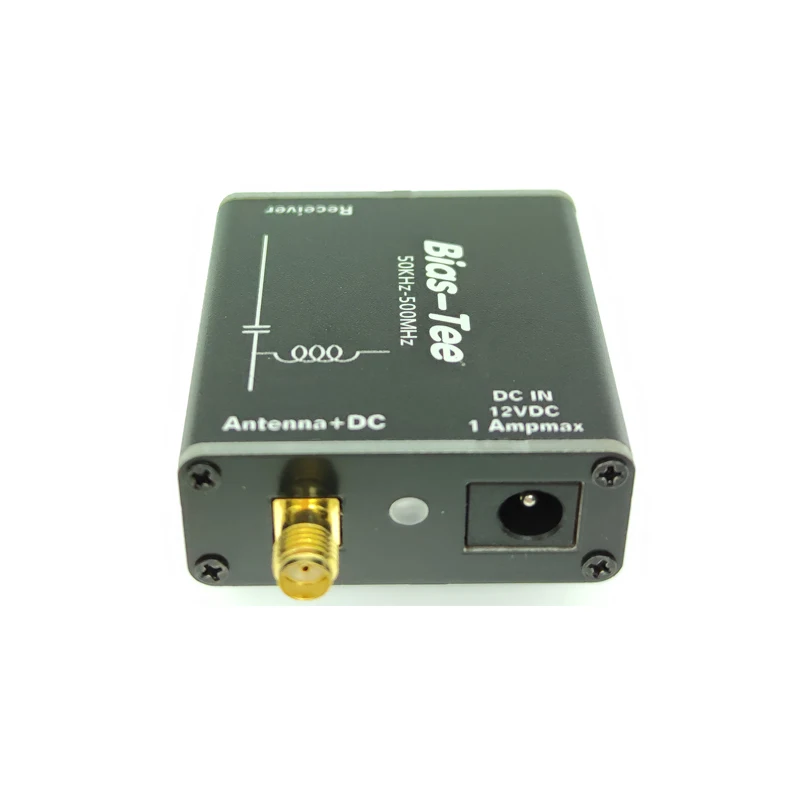
Feeds DC up the coax to power a Mini Whip or an active whip while a blocking capacitor keeps that voltage out of the radio. The span is the whole point of this one: most cheap bias-tees start at 10 MHz and silently cut off longwave, mediumwave and the lower shortwave bands.
When you can string out a few metres of wire outdoors, an end-fed random wire through a 9:1 matching transformer is the cheap classic, quieter and stronger than any whip. One caution is specific to this radio: it overloads easily on long wires, so keep the wire modest, add a counterpoise, and lean on the attenuator if images start to appear.
Two cheap parts make the experiment painless. A pigtail with an SMA plug on one end and crocodile clips on the other gets bare wire onto the radio without soldering a connector first, and a 1:1 balun at the feedpoint stops the outside of the coax braid picking up the flat’s electrical noise and delivering it straight to the receiver.
A 9:1 matching transformer for an end-fed random wire — the classic cheap outdoor HF upgrade, quieter and stronger than the stock whip. Keep the wire modest and use the radio’s attenuator, since long wires overload the front end.
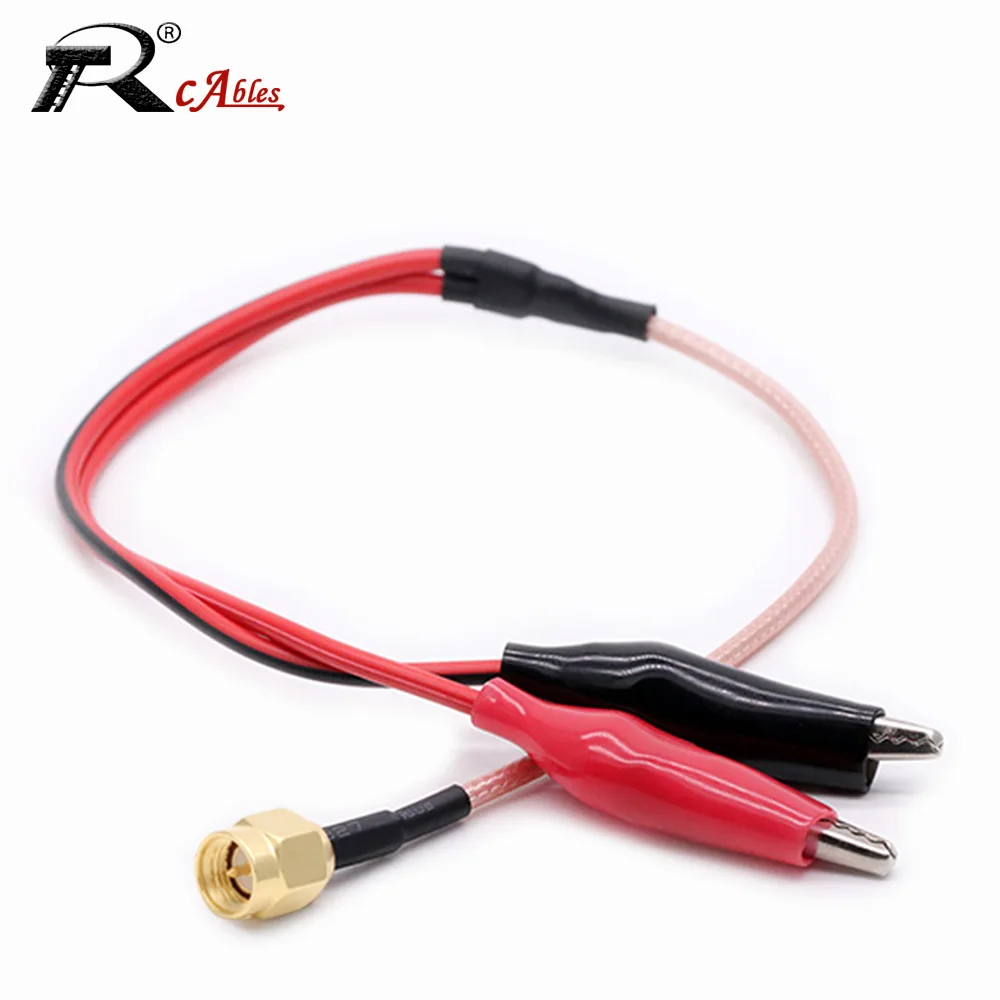
A short RG316 pigtail, SMA male at one end and two crocodile clips at the other. It puts a random wire and a counterpoise on the radio’s jack with no soldering and no stack of adapters — the quickest way to try a longwire before you commit to connectors.

A 1:1 transformer that stops the outside of the coax braid working as an antenna of its own. That braid pickup is usually why an outdoor antenna sounds noisier indoors than it should. You are receiving only, so ignore the power ratings in the listing.
This one is sold for citizens band, and it is a resonant 27 MHz element, not a broadband shortwave antenna. On receive the radio is forgiving of mismatch, so it works as a longer outdoor element that hears other shortwave bands better than the stock whip. Think of it as a bigger whip that happens to be tuned for 11 metres, not a catch-all.

A resonant 27 MHz (11 m) antenna. It is not broadband, but as a longer outdoor element it hears other shortwave bands better than the stock whip.
A rough guide. If you only want better FM, a longer whip is enough. If you listen indoors in a noisy flat, the YouLoop and a ground wire beat anything amplified. If you have a balcony or a garden and want maximum shortwave, the MLA-30+ or a longwire with the 9:1 transformer is the way up. Whatever you hang on it, the jack is SMA female, so the antenna end has to be SMA male. For a fuller situation-by-situation matrix, see best antenna for the ATS Mini.
Unplug an external antenna in a storm and when you are not listening. A static discharge through the jack can quietly deafen a portable’s front end, and clipping a lead straight onto an active antenna’s amplifier can kill it.