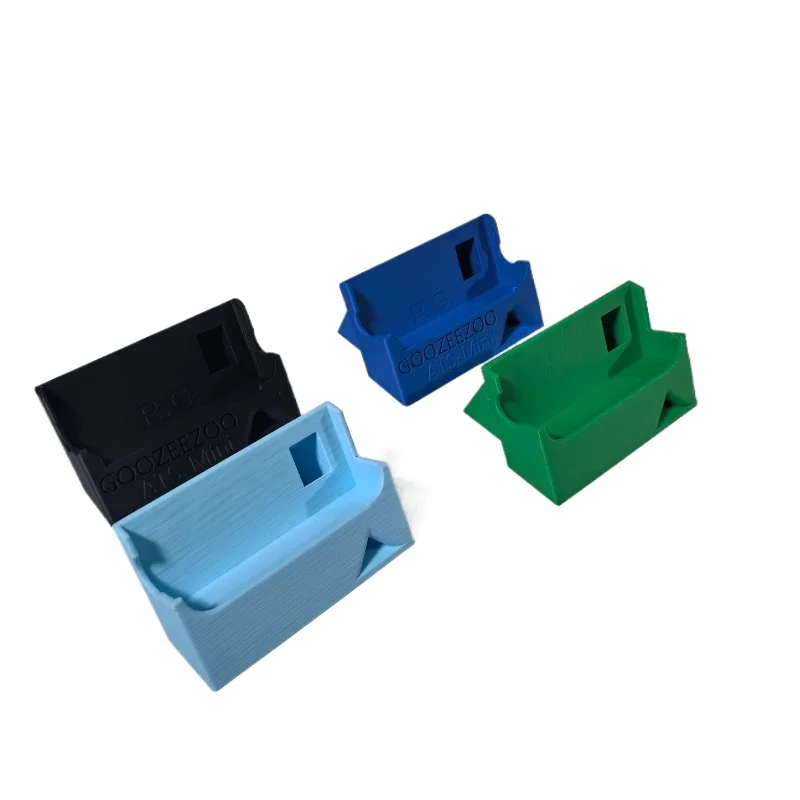
3D-printed ATS Mini stand
3D-printed desktop stand that props the ATS Mini at a comfortable viewing angle. Check it is cut for your case revision (V3 and V4 differ slightly).
$5.00$10.01
View on AliExpressThe extras that make the ATS Mini nicer to live with — a stand, an antenna mount, the right cable, good earphones, and an antenna-tuning tool.
Some links on this page are AliExpress affiliate links. If you buy through them we may earn a small commission, at no extra cost to you. It never changes the price you pay, and we only list gear we would actually use with an ATS Mini.
Out of the box the ATS Mini is good. A handful of cheap additions make it genuinely nicer to carry and listen with, and one of the most useful is not a gadget at all. It is the right cable.
A 3D-printed stand props the radio at a readable angle on a desk. Printed parts vary between sellers, and the V3 and V4 cases differ slightly in size, so check the listing is cut for your revision. A small magnetic base lets you stick a whip to a steel rail, a radiator or a car roof and aim it. It is a mechanical mount, though. On shortwave the whip is a capacitive probe, not a tuned monopole, so do not expect the metal to act as a proper ground plane.
3D-printed desktop stand that props the ATS Mini at a comfortable viewing angle. Check it is cut for your case revision (V3 and V4 differ slightly).

Compact magnetic base for sticking a whip to any steel surface — a balcony rail, a car roof, a radiator. A mechanical mount to aim a whip, not an RF ground plane.
The ATS Mini charges and flashes firmware over the same USB-C port, and plenty of cheap cables only carry power. If a firmware update or this site’s USB remote will not connect, a charge-only cable is the usual culprit before the radio is. A known-good short data cable takes the guesswork out of it. See connecting over USB or Bluetooth.
A short, data-capable USB-C cable — the unglamorous fix for the most common ATS Mini snag. The radio flashes firmware and runs the USB remote over this port, and many cheap cables only carry power. Keep a known-good data one in the bag.
The ATS Mini has a 3.5 mm jack driven by a built-in headphone amplifier, so decent earphones earn their keep. Shortwave and SSB live down in the noise, and a half-decent set lets you hear into it instead of past it. The KZ Castor is a cheap tunable dual-driver set, around sixteen dollars, with little switches that let you tame hissy shortwave; there is a pricier Pro version if you want it. If your phone has dropped its headphone jack, a small USB-C DAC dongle lets the same earphones plug into it — that one is for the phone, not the radio, which has its own 3.5 mm out.
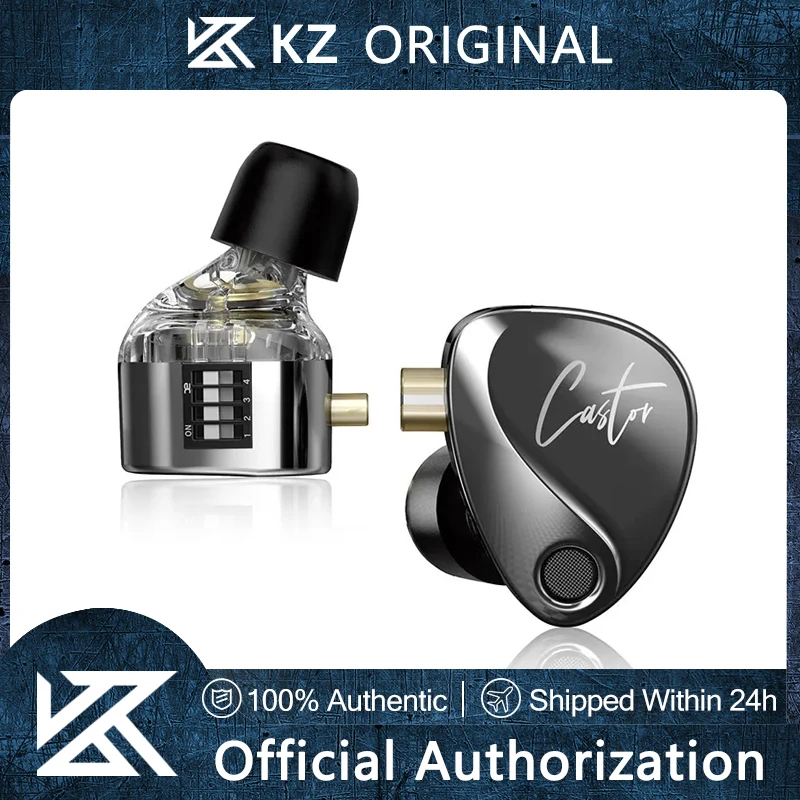
KZ Castor IEMs — a cheap tunable dual-driver set that sounds well above its price on the radio, and doubles as wired earphones for a phone.
A USB-C to 3.5 mm DAC dongle. Strictly optional, and for your phone rather than the radio (the ATS Mini has its own 3.5 mm out) — it lets the same earphones plug into a phone that dropped the headphone jack. A real DAC, not a passive splitter.
Here is the part most blog posts get wrong. The ATS Mini’s antenna input is high-impedance by design, not 50 ohms, so a NanoVNA, which is a 50-ohm instrument, cannot meaningfully measure the radio itself or a short whip. What it is good for is the antennas you build: tuning a loop or a dipole to resonance, and checking whether a mystery adapter or a length of coax is lossy. If you like making antennas it is a great tool. If you just want to listen, it is happily skippable.

NanoVNA vector network analyzer — for building and tuning resonant antennas (a loop, a dipole) and checking coax and adapters. A 50-ohm tool, so it cannot measure the radio’s own high-impedance input. An enthusiast tool, not a must-have.
A few more things worth a few dollars: a pouch or a small hard case, a screen protector trimmed to the 1.9-inch display, clip-on ferrite chokes to quiet a noisy charger, and, if you run one of the active antennas, a bias-tee to actually power it.